Azure App Service
Overview
Azure App Service is an HTTP-based service for hosting:
- web applications,
- REST API,
- mobile back-end.
Runs natively:
- on Windows,
- on Linux,
- Linux containers.
Features:
- Can scale up/down or scale out/in.
- Continous integration/deployment with Azure DevOps, GitHub, BitBucket, FTP, or a local Git repository on a development machine.
- Deployment slots (only in Standard and Premium plan tiers).
Limitations:
- Shared pricing tier does not support Linux.
- Cannot mix Windoes and Linux apps in the same App Service plan.
Azure App Service Plans
Each Azure App Service plan defines:
- region,
- number of VMs,
- size of VMs,
- pricing tier.
Pricing tiers:
- Shared compute: both Free and Shared share resource pools with other customers.
- Dedicated compute: the Basic, Standard, Premium, PremiumV2, and PremiumV3 tiers run app on dedicated Azure VMs. The higher the tier, the more VM instances are available for scale-out.
- Isolated: run dedicated Azure VMs on dedicated Azure Virtual Networks. Provides maximum scale-out capabilities.
- Consumption: only available for function apps. Scales dynamically depending on workload.
Ties Feature Comparison
| Tier | App Count | Disk Size | Max Instances | Scaling | Zone Redundancy | Custom Domain | vNet Integration |
|---|---|---|---|---|---|---|---|
| Free | 10 | 1 GB | N/A | Not supported | Not supported | Not supported | Not supported |
| Shared | 100 | 1 GB | N/A | Not supported | Not supported | Supported | Not supported |
| Basic | Unlimited | 10 GB | Up to 3 | Manual | Not supported | Supported | Supported |
| Standard | Unlimited | 50 GB | Up to 10 | Rules | Not supported | Supported | Supported |
| Premium | Unlimited | 250 GB | Up to 30* | Rules, Elastic | Supported | Supported | Supported |
| Isolated | Unlimited | 1 TB | Up to 100 | Rules, Elastic | Supported | Supported | Supported |
Manual Deployment
Supports:
- Git
- CLI
- Zip deploy
- FTP/S
Built-in Authentication
Identity providers:
- Microsoft Identity Platform
Multi-tenant App Service Networking Features
Inbound features:
- App-assigned address: IP-based SSL, unshared dedicated address.
- Access restrictions: restrict access from a set of well-defined addresses.
- Service endpoints
- Private endpoints
Outbound features:
- Hybrid Connections
- Gateway-required VNet Integration
- VNet Integration
App Service Settings
Consists of:
- Application settings
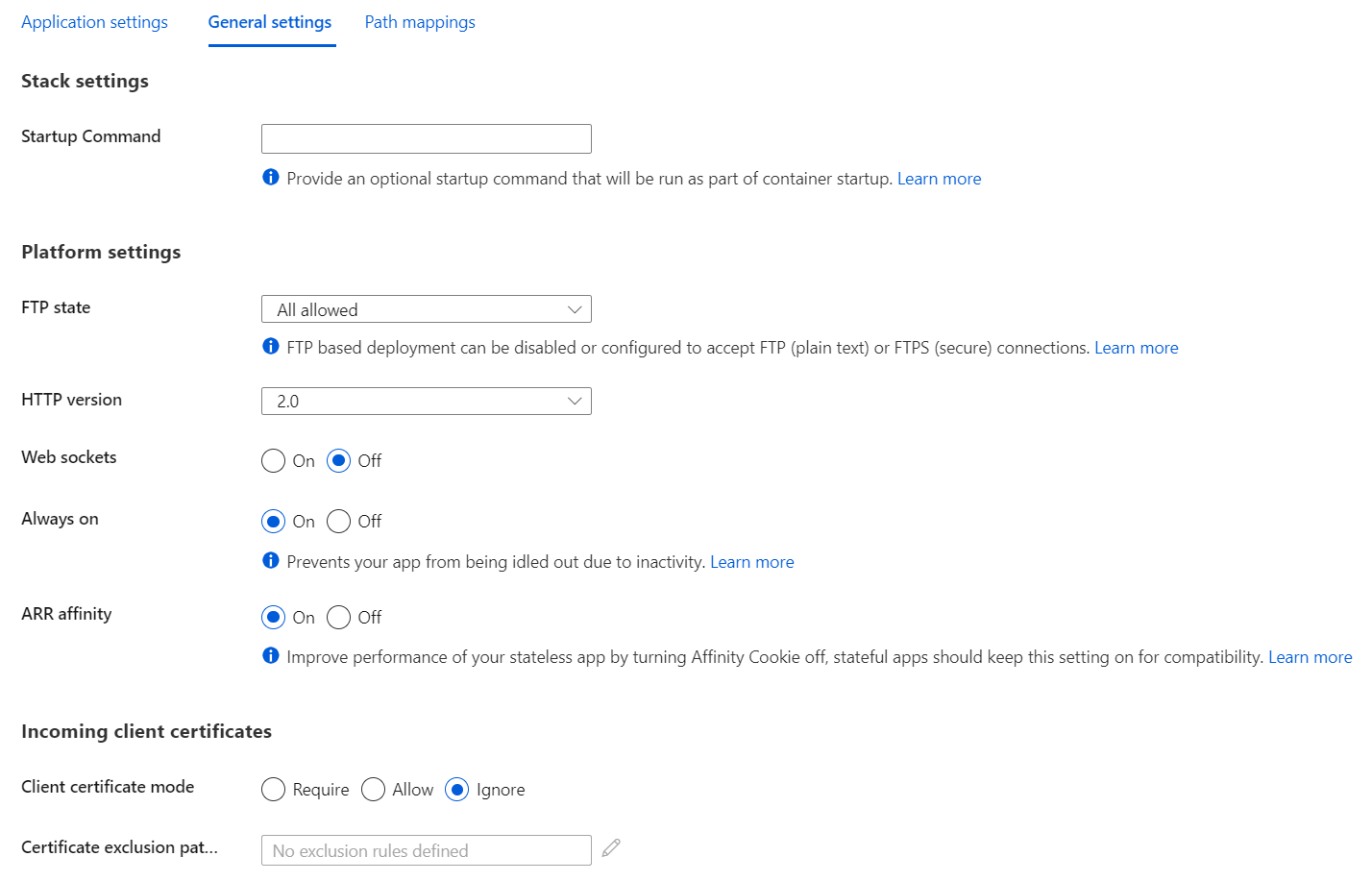
- General settings
- Path mappings
- IIS handler mappings (only for Windows)
- Mount storage
Diagnostic Logging
| Type | Platform |
|---|---|
| Application logging | Windows, Linux |
| Deployment logging | Windows, Linux |
| Web server logging | Windows |
| Detailed error logging | Windows |
| Failed request tracing | Windows |
Feature Flags
Use Azure App Configuration to manage application feature flags from a centralised place.
Auto-scale
All apps run on all VM instances configured in the App Service plan.
App service can:
- scale out: increases instance number when any scale out rule from a condition is met,
- scale in: decreases instance number when all scale in rules from a condition are met.
Conditions can be:
- based on a metric,
- based in a schedule.
Time grain - period of time while auto-scale rule aggregates the values for a metric (in most cases is 1 minute). Duration - longer, user-specified period of time when auto-scale rule performs further aggregation of the values collected from the time grain (minimum is 5 minutes).
Deployment Slots
Available in the following tiers:
- standard,
- premium,
- isolated.
Settings that are swapped:
- General settings (such as framework settings, 32/64-bit, web sockets)
- App settings (can be configured to stick to a slot)
- Connection strings (can be configured to stick to a slot)
- Handler mappings
- Public certificates
- WebJobs content
- Hybrid connections *
- Service endpoints *
- Azure Content Delivery Network *
- Path mappings
Features marked with an asterisk (*) are planned to be unswapped.
Settings that aren't swapped:
- Publishing endpoints
- Custom domain names
- Non-public certificates and TLS/SSL settings
- Scale settings
- WebJobs schedulers
- IP restrictions
- Always On
- Diagnostic log settings
- Cross-origin resource sharing (CORS)
- Virtual network integration
- Managed identities
- Settings that end with the suffix
_EXTENSION_VERSION
Warm-up app settings:
WEBSITE_SWAP_WARMUP_PING_PATH- relative path to ping during warm-up. An example is/statuscheck.WEBSITE_SWAP_WARMUP_PING_STATUSES- valid HTTP response codes for the warm-up operation. An example is200,202.
Use x-ms-routing-name query parameter to manually route to a specific slot. Once routed, browser will stick to that route by using cookie with the same name. Examples:
/?x-ms-routing-name=staging- route to "staging" slot,/?x-ms-routing-name=self- route to the production slot.